
“With a grown-up” is the part of Zupzi Read made for you and your child together. Pick one of two: “Teach today's lesson”, a short script that tells you what to do, what to say and what to say if they miss it, or “Reading check”, where your child reads 10 words aloud and you tell the app if it heard right. The app sets each session at about five minutes.
- Set at about 5 minutes
- 2 choices
- 10 words in a reading check
Step by step
- 1Open “With a grown-up”It sits behind the grown-ups' lock: Face ID, Touch ID or the device passcode (on a device without a passcode, it opens without a check).
- 2Pick one“Pick one. About five minutes.” Teach today's lesson, or a Reading check.
- 3The first time, one minute of tips“Before you start” gives three tips; “Got it, start” or “Skip”.
- 4Follow each cardDo, Say, Listen for and If they miss it, with a button to hear the teacher say it.
- 5Mark each card“Got it”, “Almost” or “Not yet”.
- 6One tap at the end“How was it?” Easy, Just right or Hard. “Hard” adds practice to the next lessons; “Easy” or “Hard” shows up in Why the app moved.
Teach today's lesson
The first time, a one-minute “Before you start” gives three tips (you can skip it). Then each card tells you what to Do, what to Say, what to Listen for and what to say If they miss it, with a button to hear the teacher say it. For letter sounds, the card describes the mouth, like “press your lips together and hum: mmm”. You mark each one “Got it”, “Almost” or “Not yet”, and at the end, one tap: “Easy”, “Just right” or “Hard”. “Hard” adds practice to the next lessons, and “Easy” or “Hard” shows up in Why the app moved. A small clock at the top shows the minutes, out of five.
Reading check
Your child reads 10 words aloud, four of them one step above their level. If listening is on, the app listens and you answer, on a card just for you, “Did the reader read it right?”. Without listening, you tap whether each word was right. At the end: how many words were checked with you and, with listening on, how many times the app wrongly corrected the reader.
For ages 3 to 4
At this age, the child's home screen shows “With a grown-up” at the top, with “Best with a grown-up at this age.”. The sessions open behind the grown-ups' lock (Face ID, Touch ID or the device passcode; on a device without a passcode, it opens without a check).
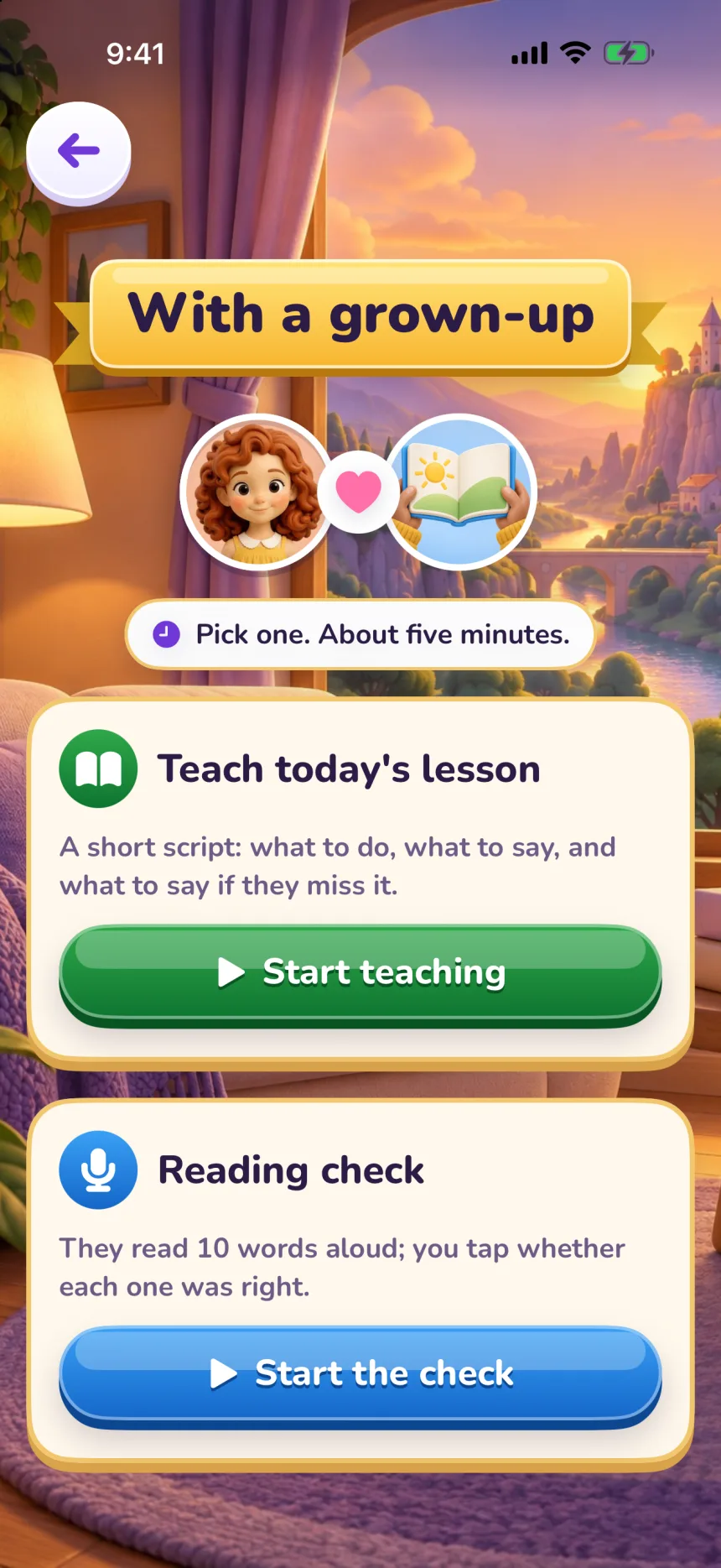
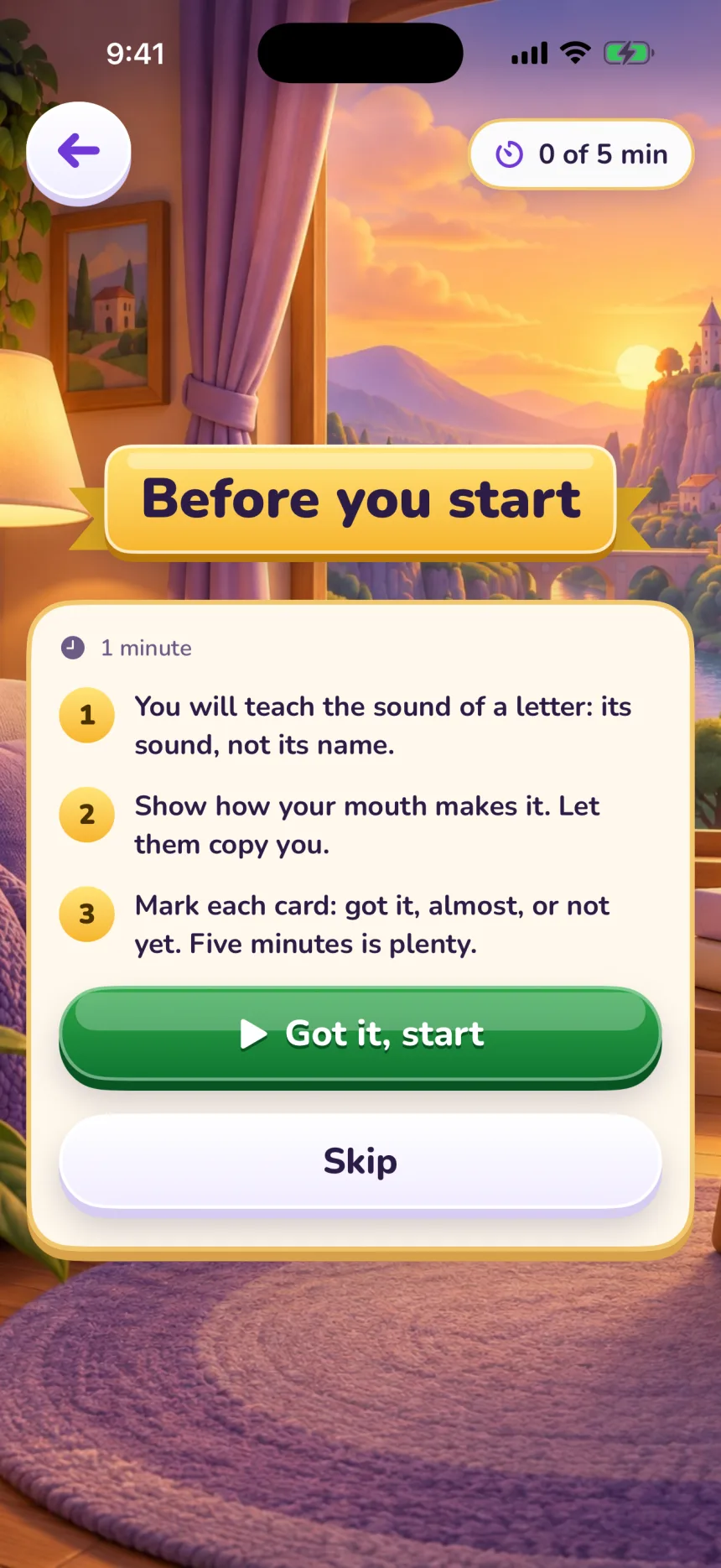
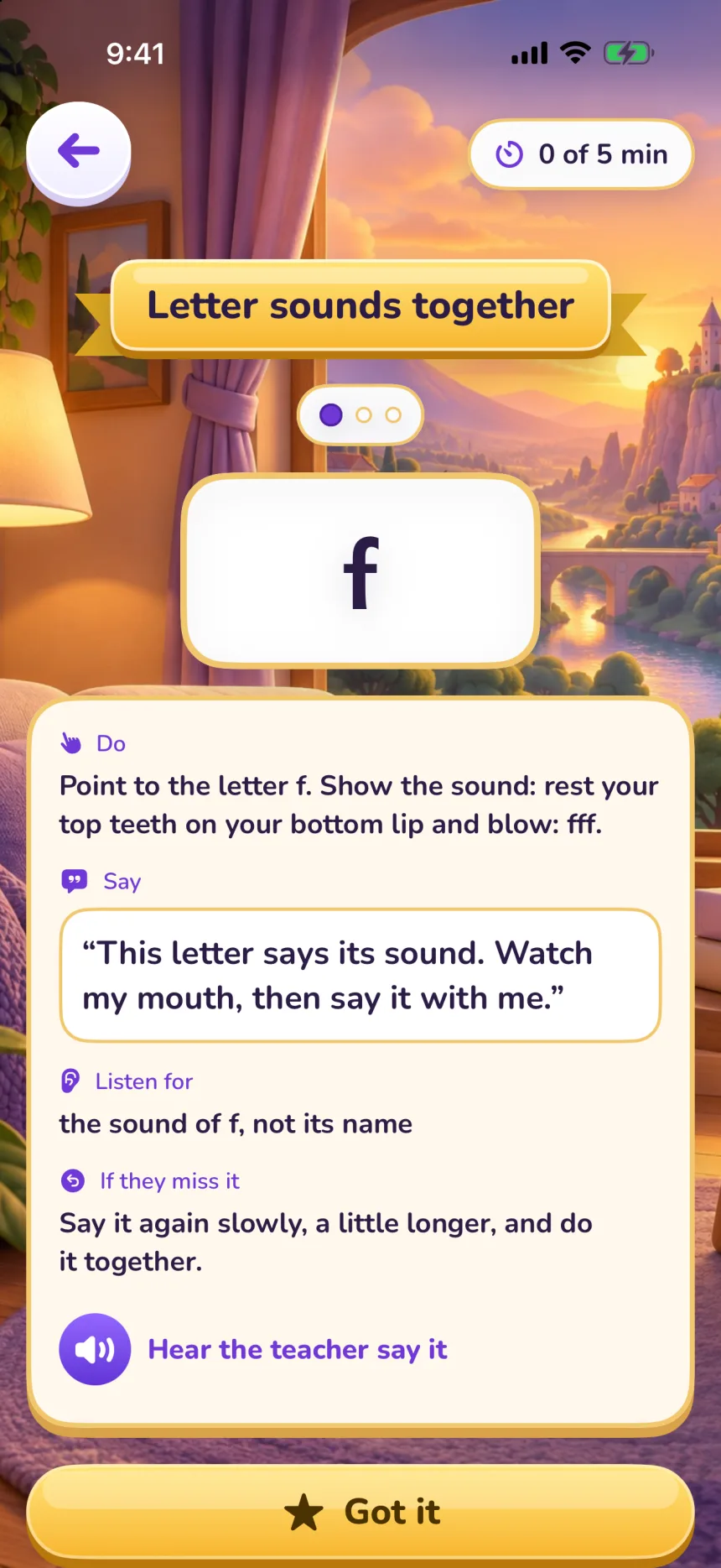
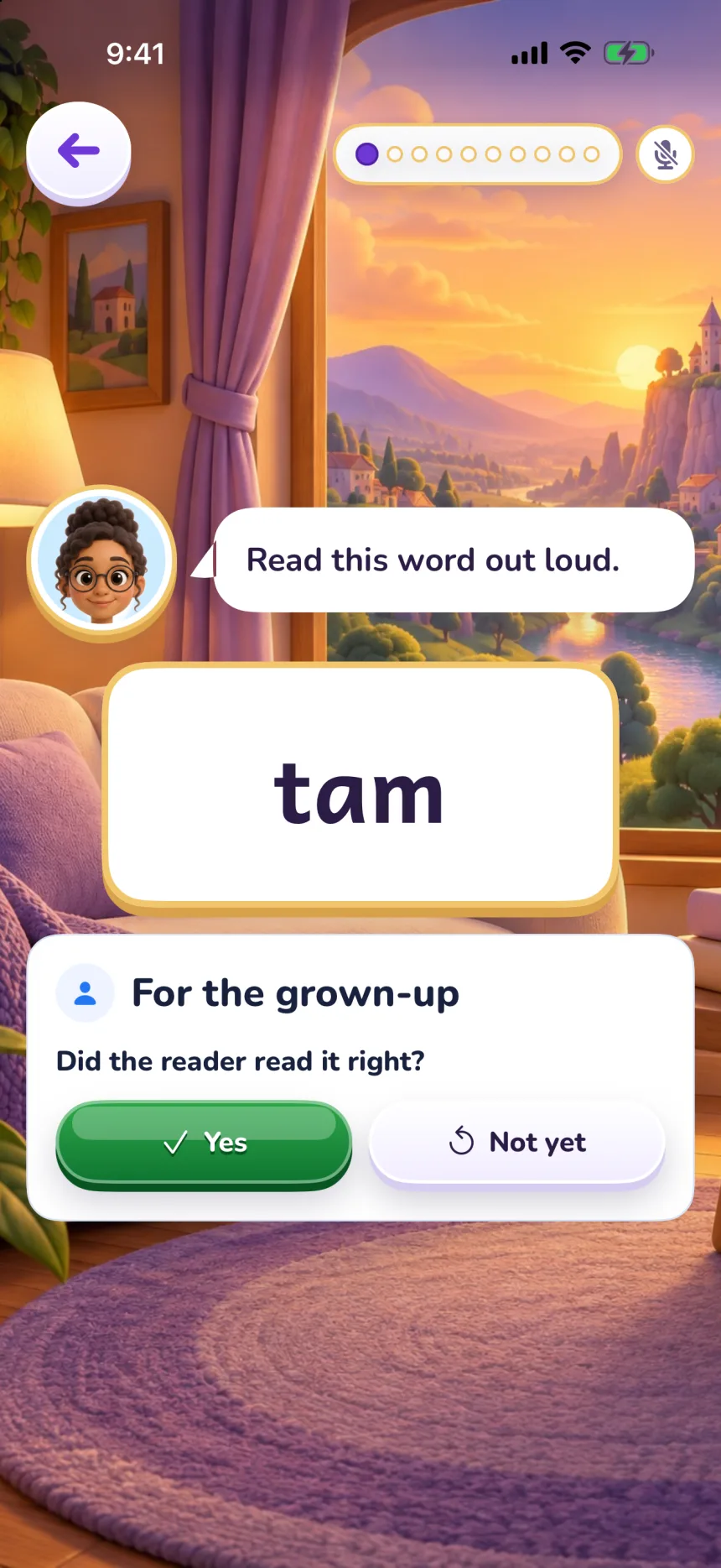
Real screens from the app, in the iPhone simulator, with a test reader.
Questions
Do I need to know how to teach phonics?
No. The script tells you what to do and what to say for each card, and you can hear the teacher say it first.
How long does a session take?
About five minutes, in the app's own words: “Pick one. About five minutes.” In “Teach today's lesson”, a small clock at the top shows the minutes, out of five.
What does my “Got it” change?
On letter cards, “Got it” counts as a right answer and “Not yet” as a miss; “Almost” doesn't count. On word cards, your marks go to the diary. At the end, “Hard” adds practice to the next lessons.
More about Zupzi Read
- Scope and sequence
- How a lesson works
- Decodable books
- An app that listens
- With a grown-up
- Wi-Fi, ads and purchases
- The method, with sources
Or follow the path, topic by topic: